
⚠️ Security Warning Help
You may encounter security warnings from Microsoft Edge or Windows when downloading our latest software/drivers. Please be assured that our software is secure.
These messages appear simply because our latest updates are new and not yet "whitelisted" by Microsoft's automated filters.
You can safely proceed by verifying that the publisher is listed as I.R.I.S. SA.
Phase 1: If the download is blocked in Edge
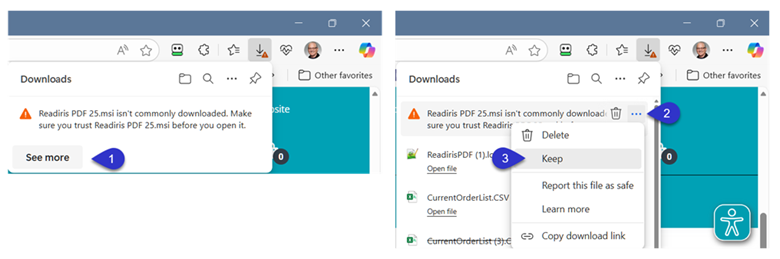
If you see a message saying the file "is not commonly downloaded" or "can harm your device":
- Hover over the file in your download list and click the three dots (...).
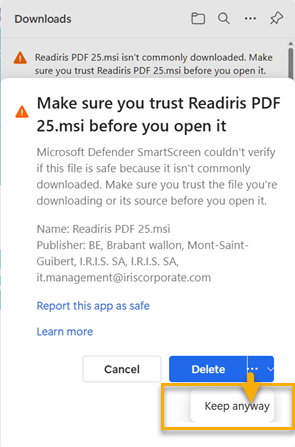
- Select Keep.
- A confirmation window will appear. Click Show more (arrow icon) and select Keep anyway.
Phase 2: If "Windows protected your PC" appears
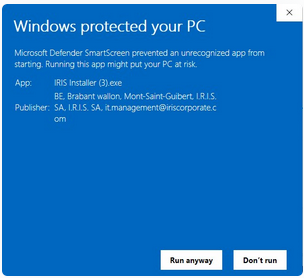
When you open the file, you might see a blue window preventing the start:
- Click on the underlined text "More info" (located below the warning text).
- Verify that the Publisher is I.R.I.S. SA.
- Click the Run anyway button that appears at the bottom.




Casey King
Comments